Install BatchDraft and run your first batch
Check requirements, install the Windows trial, select your CAD host, and run a small drawing set you can inspect.
For Trial 0.2.0 · UpdatedBatchDraft runs an ordered sequence of AutoLISP files and CAD commands across DWG drawings. Trial 0.2.0 lasts 30 days from first launch and accepts up to 10 drawings in each preview or run. Your CAD application must already be installed; BatchDraft does not replace it.
Check your requirements
- Windows 10 or Windows 11 x64. Clean-machine, high-DPI and Remote Desktop acceptance coverage is still ongoing.
- An AutoCAD installation containing
accoreconsole.exefor the primary AutoCAD execution path. DWG TrueView alone is not a supported automation runtime. - Alternatively, an installed BricsCAD for Windows with a validated
bricscad.exe. Recorded release evidence covers BricsCAD V26.
AutoCAD LT 2026 Core Console is the currently verified installed AutoCAD runtime. Other valid installations can be detected and selected, but they do not yet have the same recorded real-run coverage. See Core Console setup for execution modes and limitations.
Download and install the trial
- Open the trial download section, check the version and unsigned-installer notice, and choose Download trial. Supply your name and email in the short access form.
- Download the adjacent SHA-256 checksum if you want to verify the installer. Compare your downloaded file’s SHA-256 value with the published value before running it.
- Run the Windows x64 installer and launch BatchDraft from the Start menu. It installs for the current Windows user and includes the application runtime.
- Windows SmartScreen may warn because the installer and executable are unsigned. Verify the file and its source before deciding whether to continue.
Select the CAD host
Open Settings, choose the CAD application and execution mode, then use Detect installed versions. Choose the installation you intend to use. Browse is available when detection does not find it.
For the primary AutoCAD path, select AutoCAD / Headless and the installation’s accoreconsole.exe. Windowed AutoCAD remains experimental. Save the settings before starting a batch. The app does not silently switch to a different CAD application when a host fails.
See the Settings guide for output defaults, workers, retries, timeouts, retained logs and interface preferences.
Make a small first run
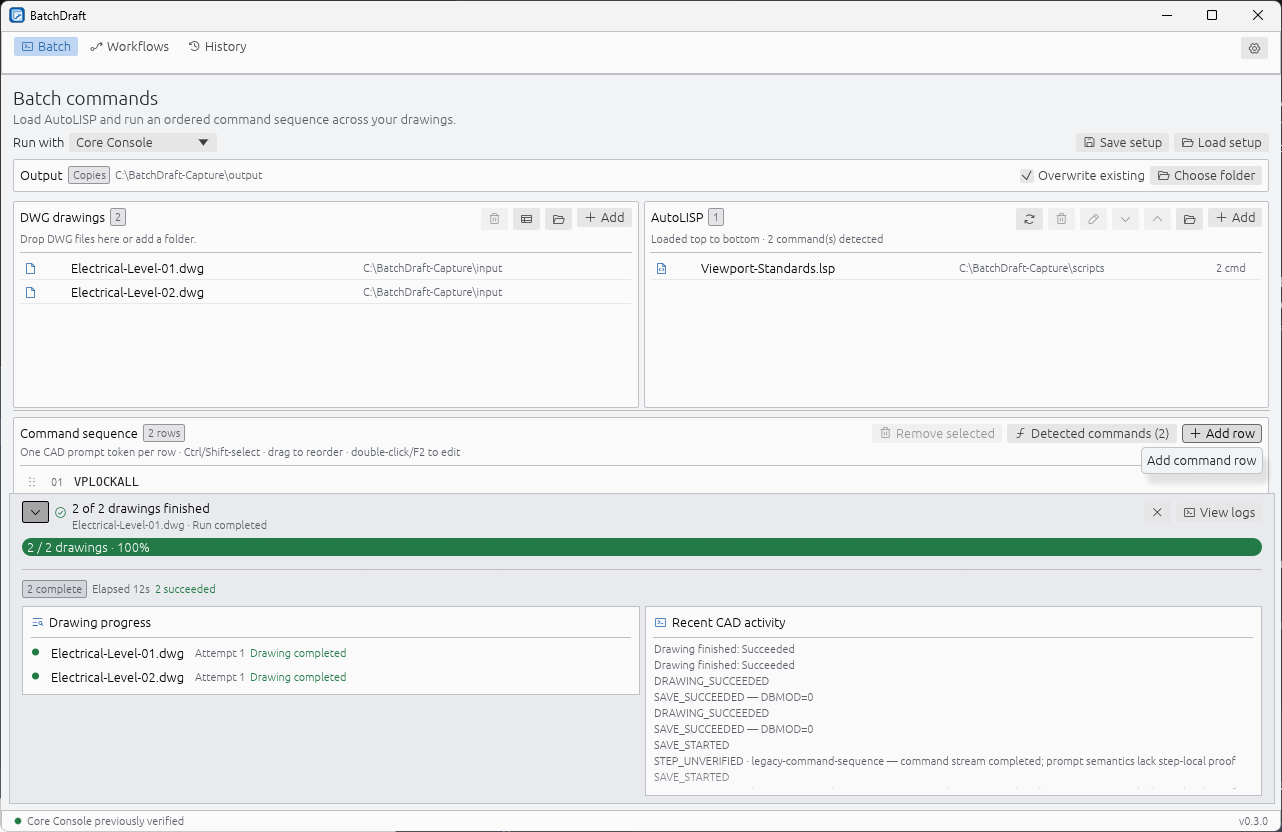
- Open Batch and add a small set of disposable or backed-up DWG drawings, within the ten-drawing trial limit.
- Choose Add tool in Command sequence for bundled plotting or drawing-update tools, or add your own reviewed files with Add LSP files.
- Configure bundled tools in the library; each configured tool stays in one editable row. For your own scripts, arrange load order and enter each command and prompt response on its own row.
- Select Copies, choose an output folder, and review the overwrite choice. Keep In place for work where you deliberately intend to change the source drawings.
- Choose Run batch and watch the progress for each drawing.
- Open the output drawings and inspect them. Then use History to review any warnings, attempts, or failures.
Copies mode stages output and publishes it after a successful run. In-place processing writes to the source path and cannot promise rollback if a command partially changes a drawing before failing.
Upgrade and trial period
Back up saved setups and application data before upgrading. The installer uses its preserve-data upgrade path; reopening a saved setup still requires its referenced scripts, drawings and CTBs to exist. The new Command library and offline guides are included in 0.2.0, so no separate tool download is needed.
The remaining trial period appears in the app. After expiry, History and Settings remain available, but new previews and runs are disabled. Reinstalling does not reset an existing 30-day period. The old 0.1.1 installer did not include the time limit. Contact support if trial verification fails; do not delete trial data to try to restart it.
Where to go next
Follow Run AutoLISP across multiple drawings for load order, detected commands and prompt rows. Once a batch works as intended, save its setup so you can repeat it without rebuilding the sequence.
This guide covers Trial 0.2.0: 30 days from first launch, up to ten drawings per preview or run.